Address Clean up Report
Purpose: to explain how to run Address Clean-up report.
How to delete erroneous addresses.
- Navigate to the Data Validation Report
- Go to Reporting
- In the Data Validation Section
- Select Data Validation.
- In the Data Validation Section
- Go to Reporting
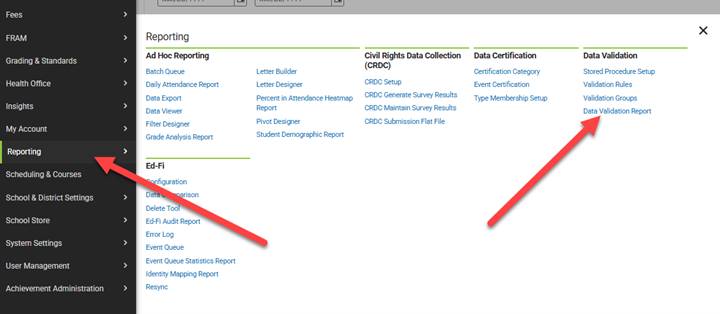
This will take you to the Data Validation Reports page. From this page select DM-Invalid Address Cleanup. From the validation group dropdown. Then select the generate button.
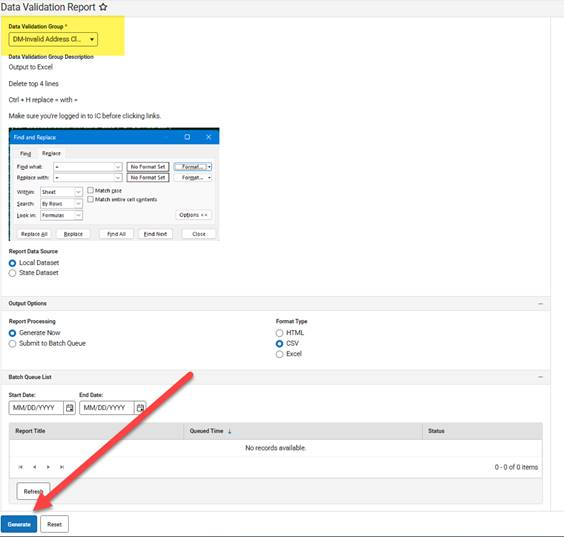
The generate button will download a file will all of the current Address issues.
- Delete the first line of the file.

Your file should start with the following headers:

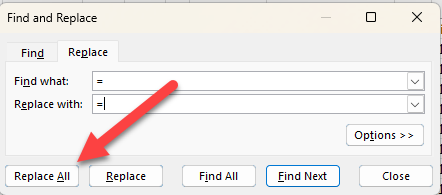
Once your file headers are cleaned up. Select Ctrl H to get the Find and Replace pop up.
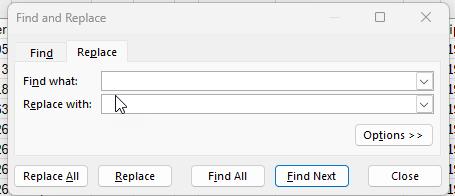
Put = in both the Find What and Replace What fields. Then select replace all. This will activate the links in the file.