EOY Entering Retentions and Placements
Purpose: the purpose of this article is to detail for users how to change the end of year status in Infinite Campus, for students who are not being promoted. Following this process will ensure the students roll forward status is correct as well as ensure the students report card has the correct end of year status.
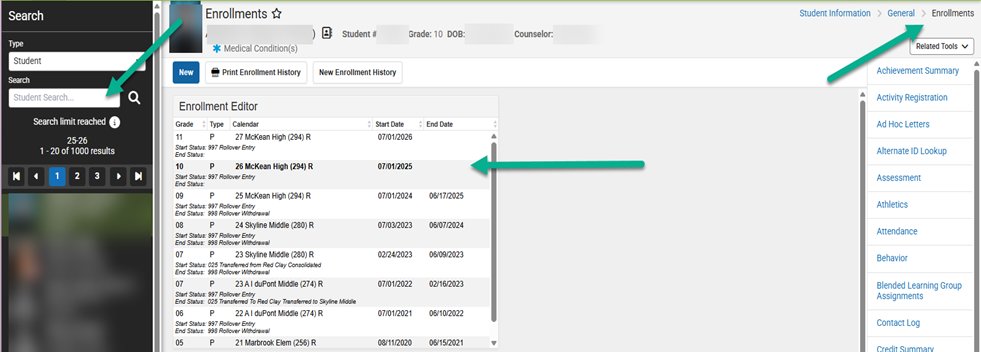
- Search the student, go to their Enrollments Screen (Student Information > General > Enrollments) and open the current year vector line.
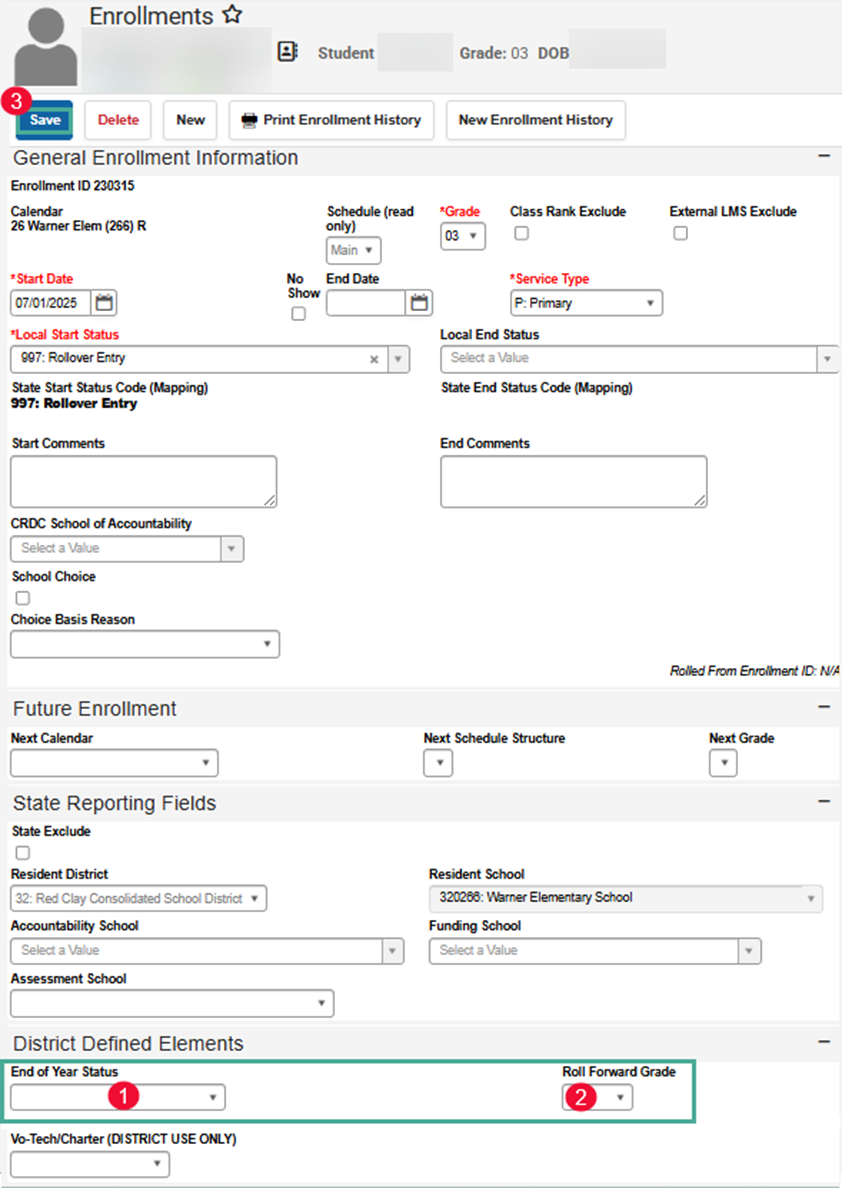
- Scroll to the bottom of the Enrollments screen for the current school year until you see District Defined Elements.
- Enter the End of Year Status
- Enter their Roll Forward Grade
- current grade for Held, Not Graduating, and Retention
- next grade for Administratively Assigned and Summer School
- Save

If the student is being Administratively Assigned or in Summer School, you are finished and can move to the next student. If the student is being Held, Not Graduating or Retained continue to step 3.
-
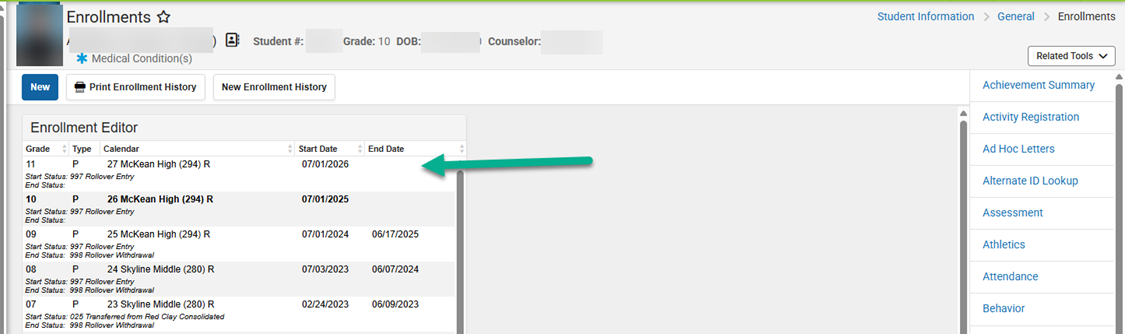
If the student is being retained
a. open the next year vector line
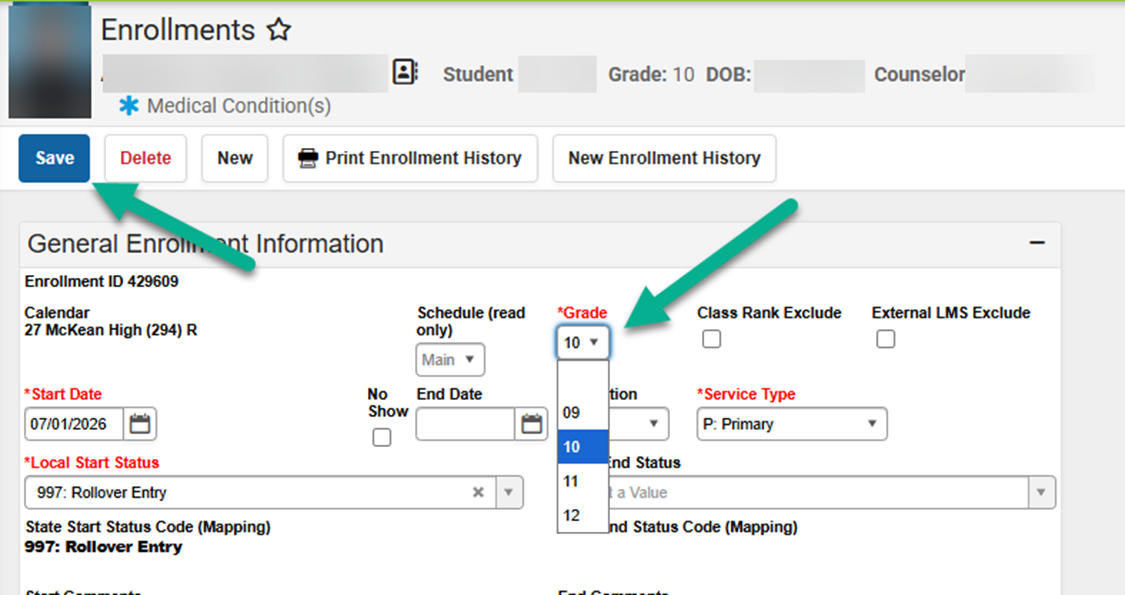
b. update the grade to the grade they are being retained in
c. Save
If the student being retained is in a break grade, please email DSC Help Desk (helpdesk@dataservice.org) the student ID and what grade and building they should be in next year.