Deleting a Future Enrollment.
Purpose: The purpose of this article is to detail how to delete a students future enrollment record. Please note this action should only be performed in very specific situation (i.e. the student is not returning to the district or building next year.)
Steps:
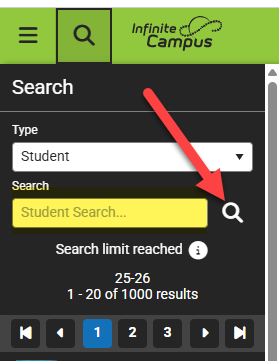
- Search the student you would like to change the future enrollment record for.
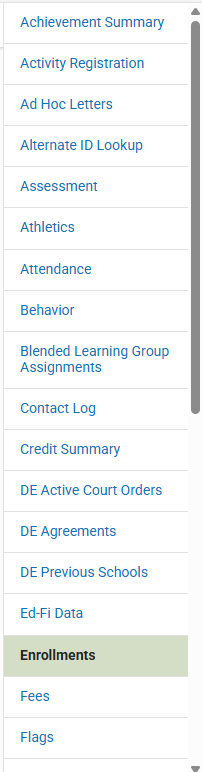
- Once on the student detail page navigate the the right navigation bar and select the Enrollments tab. This will take you to the students enrollment page.
- Select the vector line you would like to delete. You can often determine the school enrollment year by viewing the number at the front of the calendar and viewing the start date. The start date should occur in the future for next year calendars.
Please ensure you are selecting the correct calendar year. Deleting enroll in the current year will result in a complete loss of student records for the current year.

- Select the enrollment you would like to delete (it will highlight the row). Then select the Delete button.
Please ensure you are selecting the correct calendar year. Deleting enroll in the current year will result in a complete loss of student records for the current year.

Contact our help desk for support
Monday – Friday 7:00am - 4:00pm