Roll in Roll Out Report
Purpose: The purpose of this article is to give information around how to run the Roll in Roll out report. The report shows your current student with their next year grade and building they will be attending next year.
Path: Reporting > Data Validation > Data Validation Report
Select the following options:
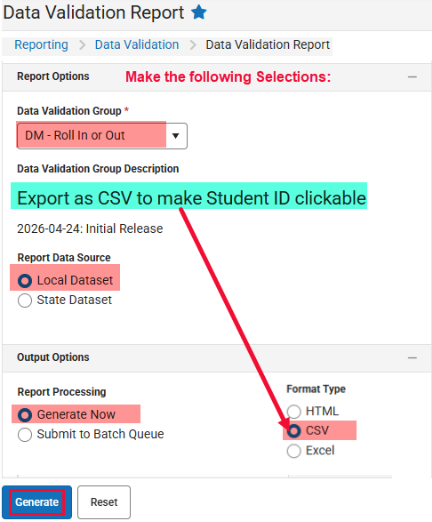
The report will have your current and incoming students registered in your building and their status:

Run this report often as the end of year approaches. This report will change as the school year ends and End of Year status is updated.
Contact our help desk for support
Monday – Friday 7:00am - 4:00pm